
Your Notion pages, available offline.
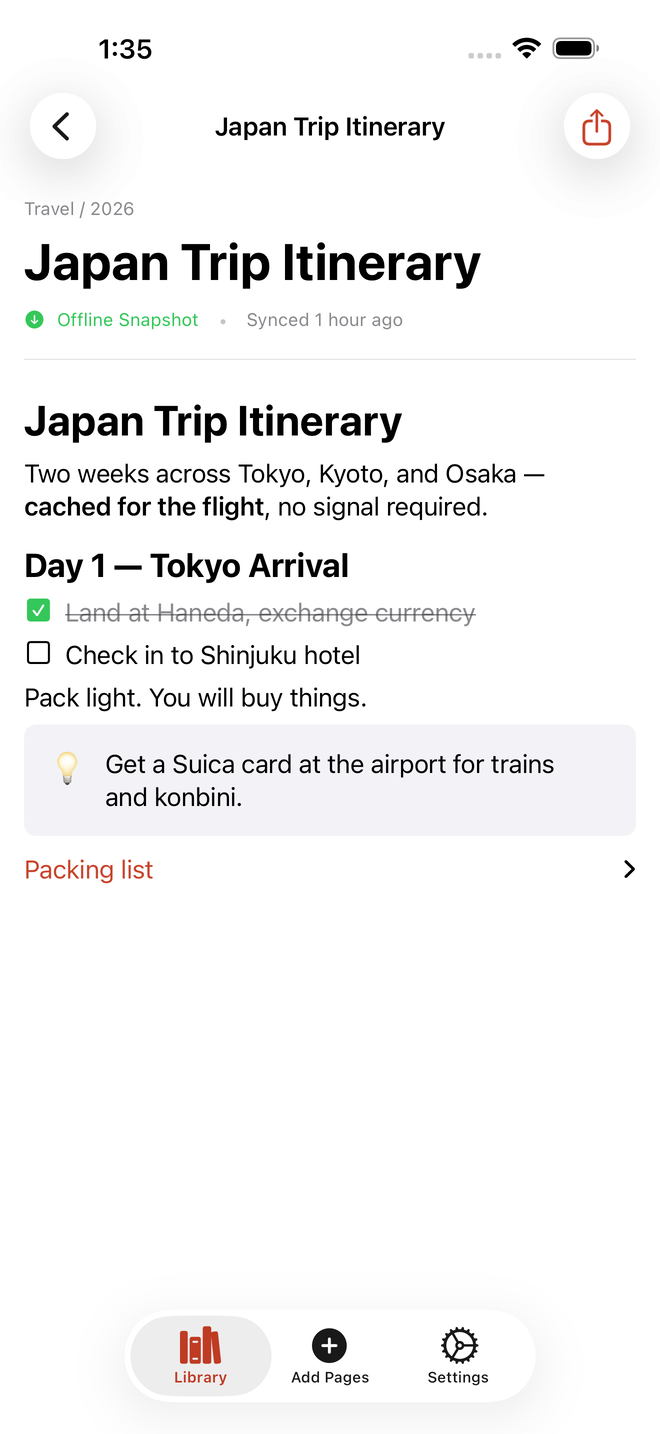
You put your whole life in Notion. Then the plane door closes and it hands you a spinner. PageCache keeps the pages you choose on your device — so they open whether or not there's a signal.
You put your whole life in Notion. Then the plane door closes and it hands you a spinner. PageCache keeps the pages you choose on your device — so they open whether or not there's a signal.
It does one thing, and tells you the truth about it.
Pages are stored on the device, not fetched on open. Airplane mode, tunnels, dead zones — the page is simply there, immediately.
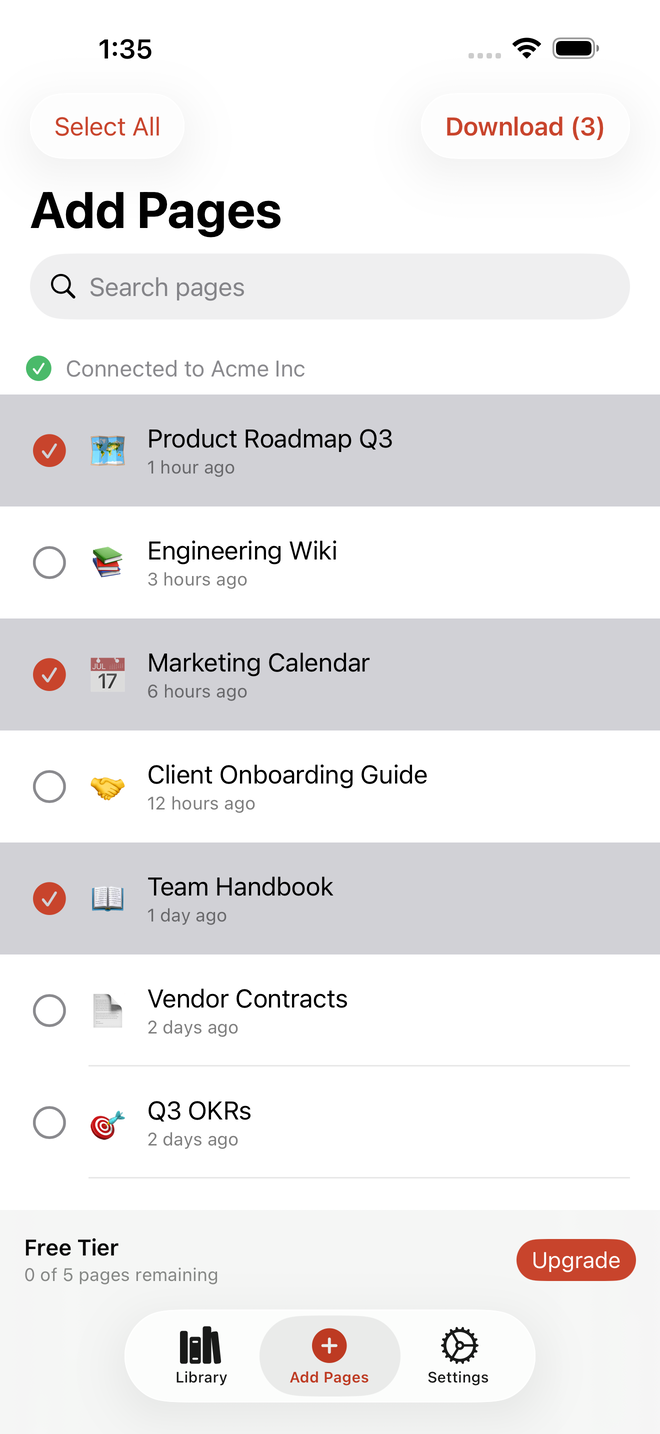
Nothing downloads on its own. No background crawl of your workspace, no surprise storage. You choose, page by page.
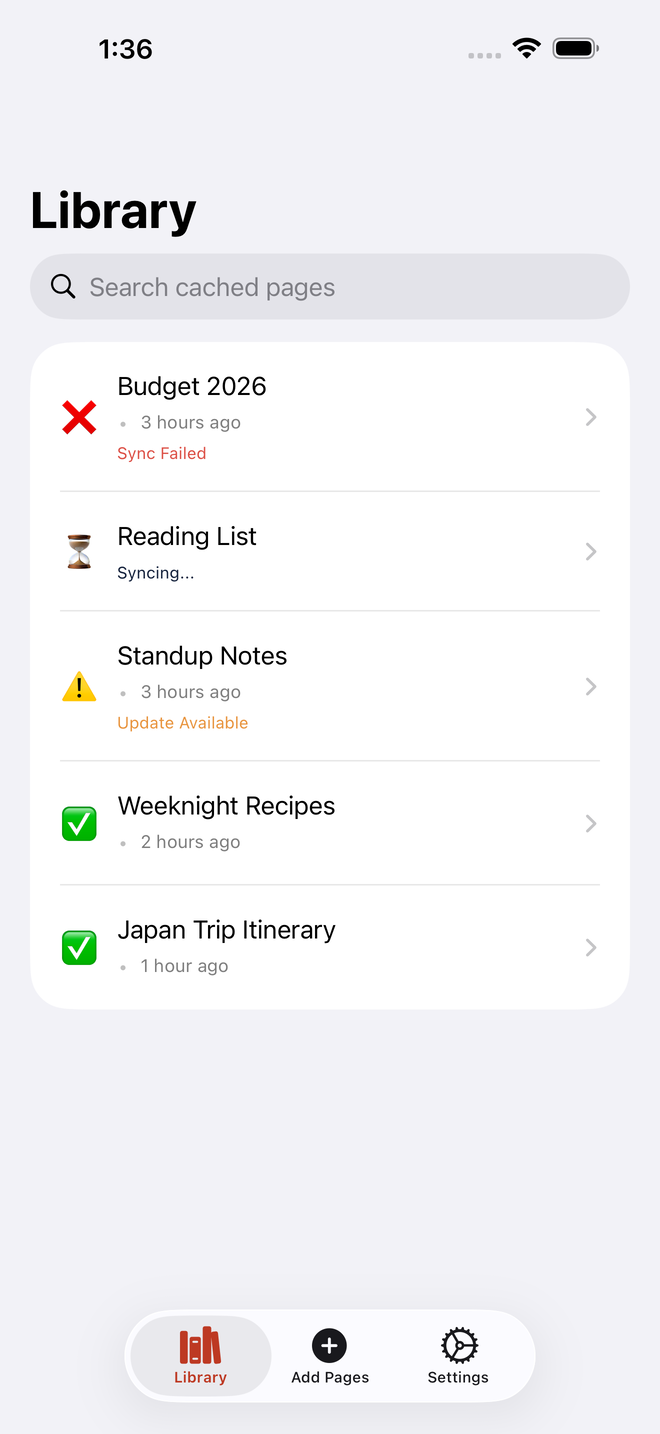
Every page shows its status and a plain-English last-synced time.
If a refresh fails, the copy you already had stays intact and says so.
Pages live on your device. Face ID or Touch ID can lock the app.
No cursors, no keyboard, no save button to mistrust. Nothing here can alter what's in Notion.
Export any cached page to PDF, Markdown, or plain text — a copy that outlives the app.
Notion has a lot of block types. Here's exactly where each one stands today — including the few still on the list.
Sign in once with Notion's own OAuth. PageCache only ever reads.
Browse your workspace and tick the ones worth keeping. Nothing else is touched.
Open them on a plane, in a tunnel, on a dead-zone hike. No spinner, no wait.
No. PageCache is a reader — it requests read access and has no editing surface at all.
On your device, in local storage. Nothing is copied to a server belonging to us.
The copy you already had stays intact and the page is marked failed. A bad sync never destroys good content.
Never. Pages are cached only when you explicitly choose them.
Each page shows its status and a plain-English last-synced time. When Notion has a newer version, it says so.
Yes — export any cached page to PDF, Markdown, or plain text.